Rating analysis and responses to reviews

Tools to help you analyze ratings and respond to reviews for your App Store and Google Play apps in one console!

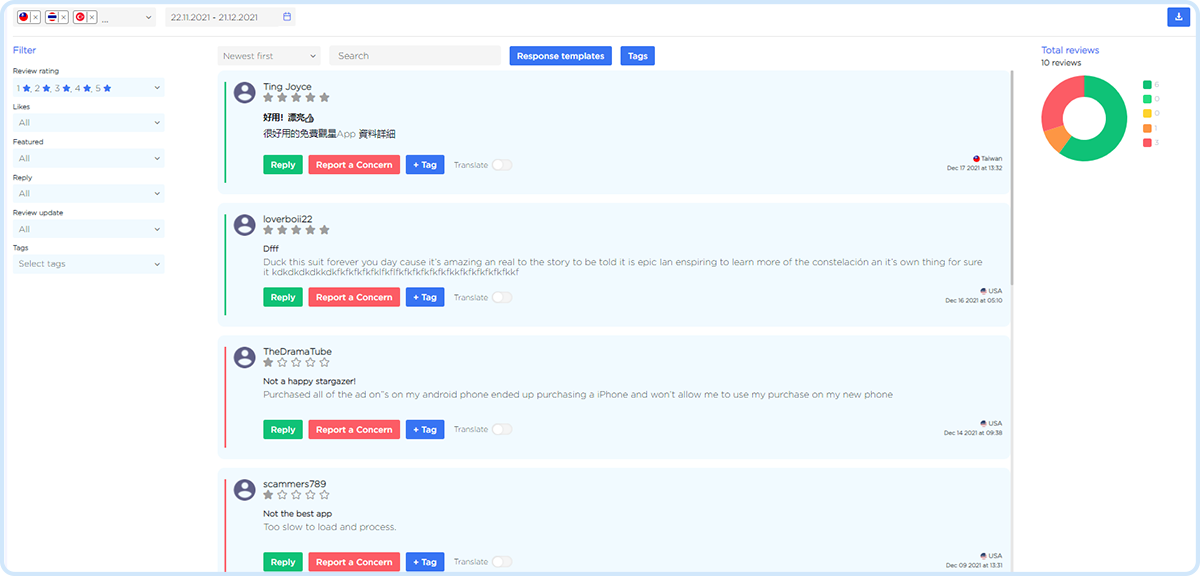
Convenient filters, templates, tags, uploading reviews to files

Convenient Dashboard, daily data for all countries and versions

Removed reviews, support responses, country and version ratings

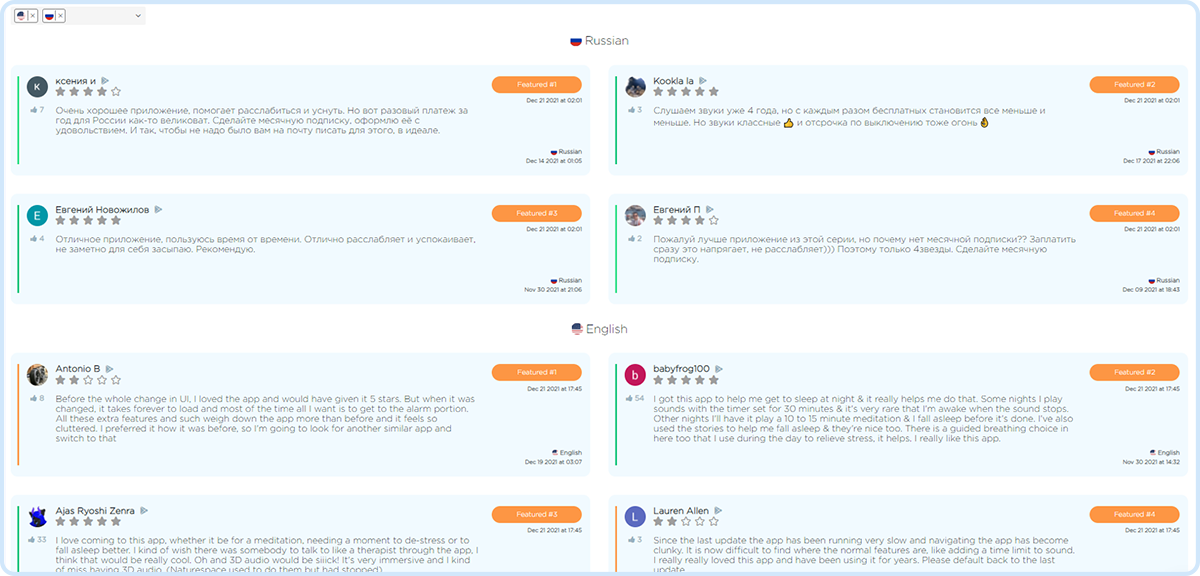
Featured reviews in all countries that affect app conversion
Respond quickly to reviews to improve your rating
- Convenient filters, sorting, uploading reviews to a file
- Templates and tags for automated work
- Integration with Google Play Console and App Store Connect

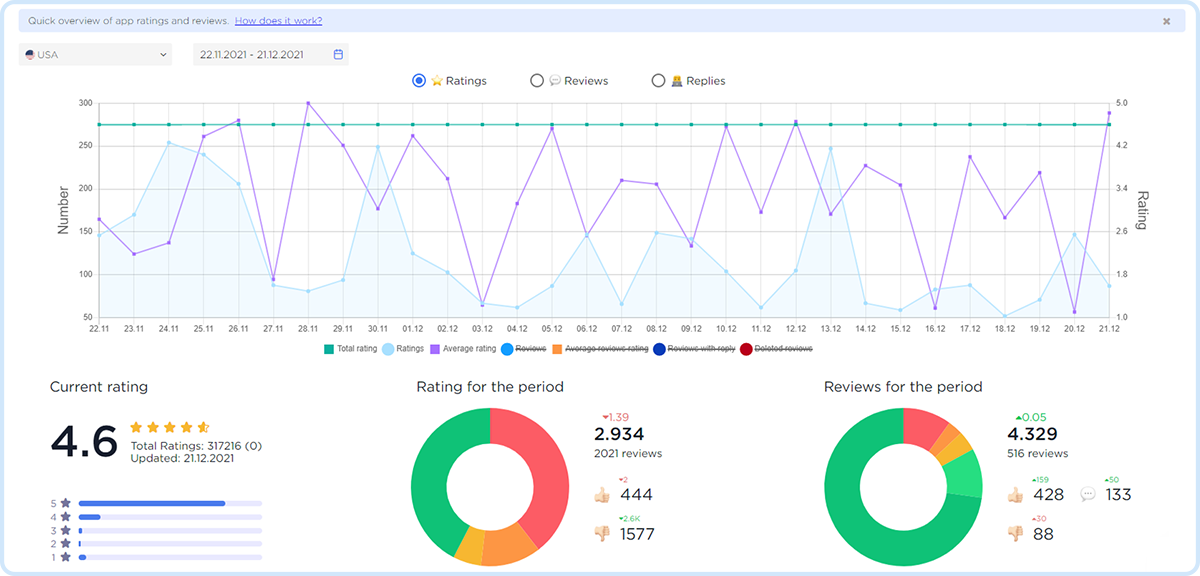

Dashboard for quick analysis of user's mood
- Daily monitoring of the application
- Analyze ratings and reviews by day
- Current country rating
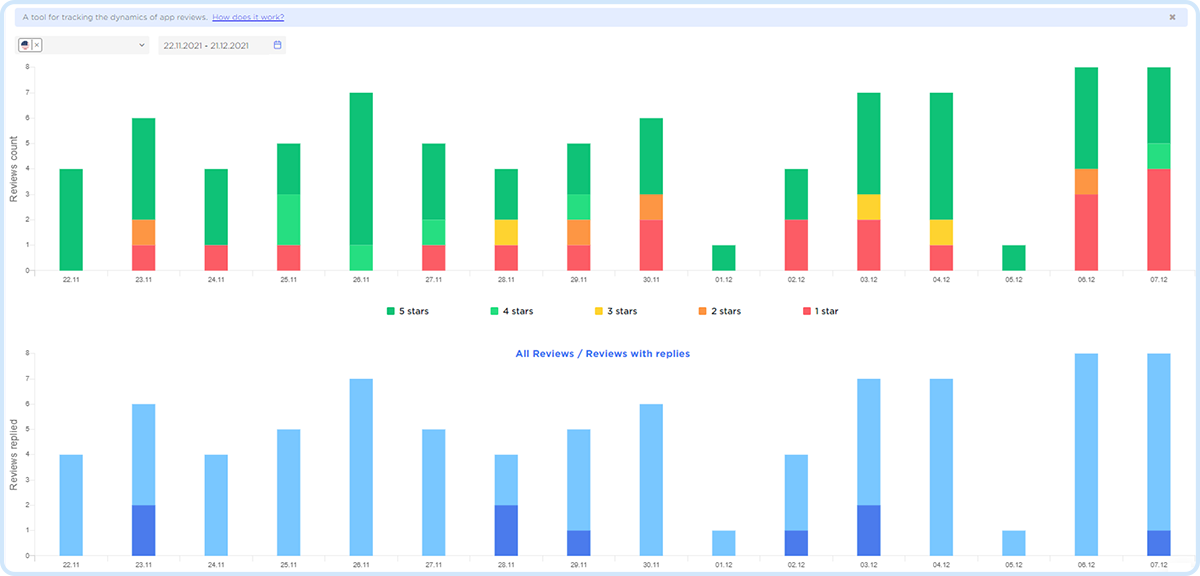
Track the dynamics of app reviews by day
- Distribution of reviews by country
- Dynamics of removal of reviews
- Monitoring support responses

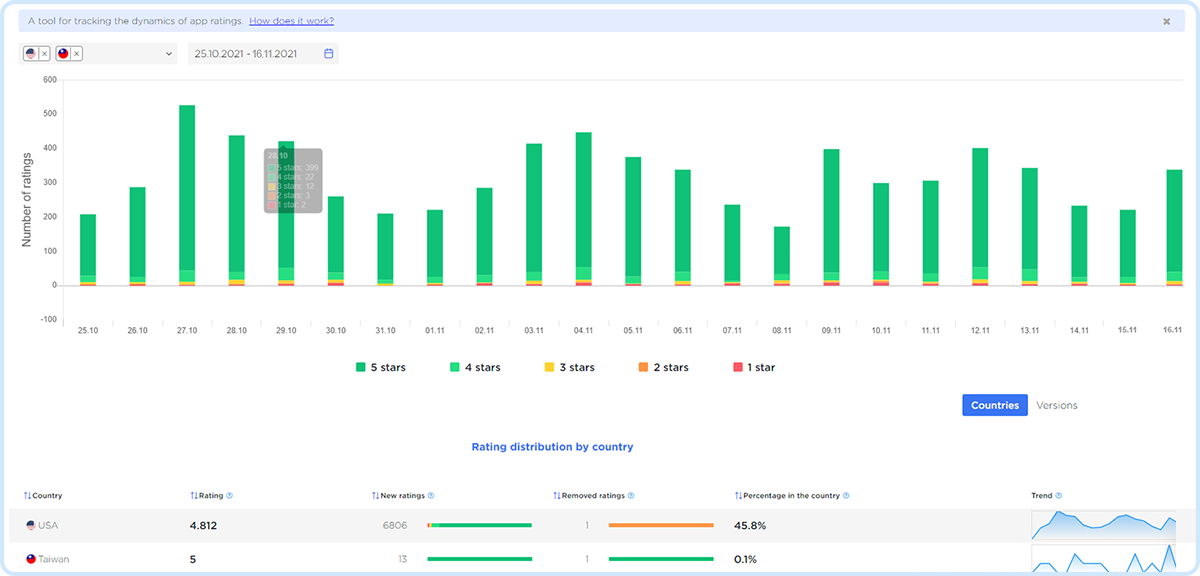

Track the dynamics of ratings by day
- Distribution of ratings by country
- Rating by version
- Deleted ratings
Track reviews at the top of the app page that affect conversions
- Featured reviews in all countries
- Featured Review Position
- Data on when the review became Featured

Frequently Asked Questions about Ratings and Reviews Tools
Responding to reviews directly impacts app reputation management and store conversion rate. Users who see active responses are more likely to install the app — and more likely to update a negative rating after receiving a reply. ASOMobile’s review management tools let you reply to reviews from both Google Play and App Store in one place, track response history, and manage user feedback at scale.
Ratings and reviews are one of the primary factors influencing a user’s decision to install an app. A low rating or unaddressed negative reviews visibly reduce app store conversion rate — even if your keywords and visuals are strong. Regular app review monitoring and timely responses help maintain a healthy rating and protect conversion.
ASOMobile provides full app review analysis: rating charts and review charts over time, user feedback analysis by sentiment and keyword, app ratings analysis by country and version, and visibility into review trends. This gives you a complete picture of how users perceive your app across all markets.
Featured reviews are reviews selected by Google Play and App Store algorithms to be displayed prominently on your app’s store page. They have a disproportionate impact on first impressions and conversion. ASOMobile lets you track which reviews are featured and monitor changes — so you can understand what content Apple and Google prioritize and respond accordingly.
Yes. ASOMobile’s app review monitoring tools display rating dynamics, review volume, and sentiment trends across time periods and app versions. This helps identify spikes in negative feedback, track the impact of updates on user satisfaction, and build a long-term app reputation management strategy.
User reviews — both for your app and competitors’ — are a direct source of actionable insights. They reveal ideas for new features, expose bugs, highlight onboarding issues, and show what users actually value or dislike. Regular user feedback analysis helps you prioritize development and improve the overall app experience. To monitor review statistics on a daily basis, use the Review Charts tool in ASOMobile.
App rating is the fastest indicator of your app’s health. If a bug slips past testing, user ratings will signal it immediately — which is why daily app review monitoring is critical. It’s especially important to track rating dynamics during new version releases to evaluate their impact on user satisfaction. Use the Rating Charts tool in ASOMobile to stay on top of rating changes in real time.