Writing metadata from scratch takes longer than it should. You need keywords, competitor research, and texts that fit the character limits — easily half a day of work. We’re app developers ourselves and go through this regularly. ASO Generator cuts it down to minutes: describe your app, the tool collects keywords, and generates ready-to-use texts for the App Store or Google Play.
What the tool does
ASO Generator lives in the ASO section. It handles three tasks that usually happen separately: keyword research, competitor analysis, and writing metadata within character limits. The output is a title, a short description, and a full description, all optimized for a specific country.
Before you start, select the app and target country. Each run uses AI requests from your plan’s limit — the remaining count is visible in the counter on the tool’s page.
Case 1: launching a new app
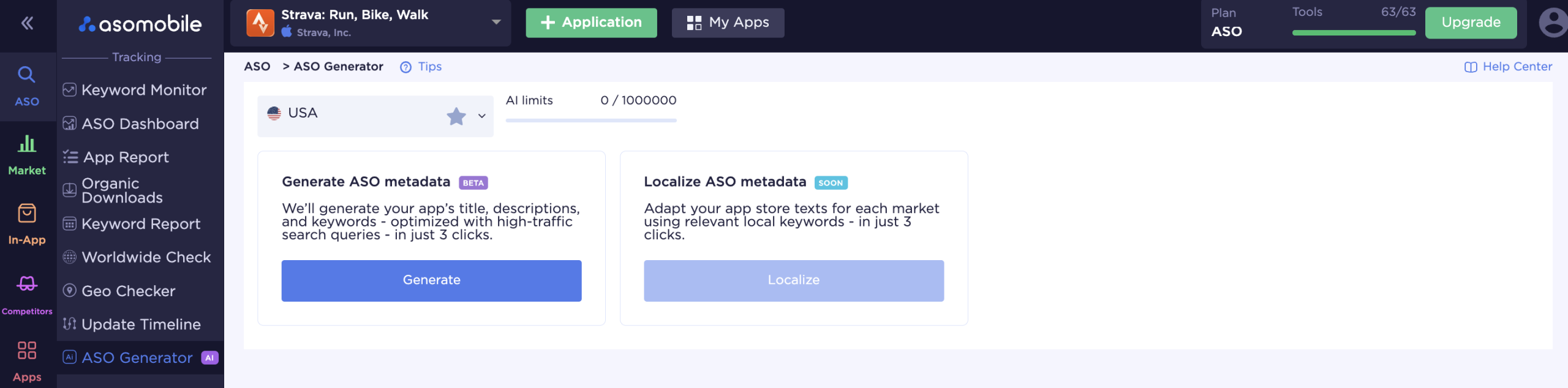
Picture this: the app is ready, the store page isn’t. No keywords, no texts, no idea where to start.
Open ASO Generator and choose what to generate — title, short description, full description, or all three. Then fill in the form. Main characteristics: the most important things about the app, comma-separated, up to 100 characters. Additional characteristics: secondary features and details, up to 300. Three optional fields: brand name, target audience (for example: women 18–35 interested in fitness), and words to avoid in the texts.
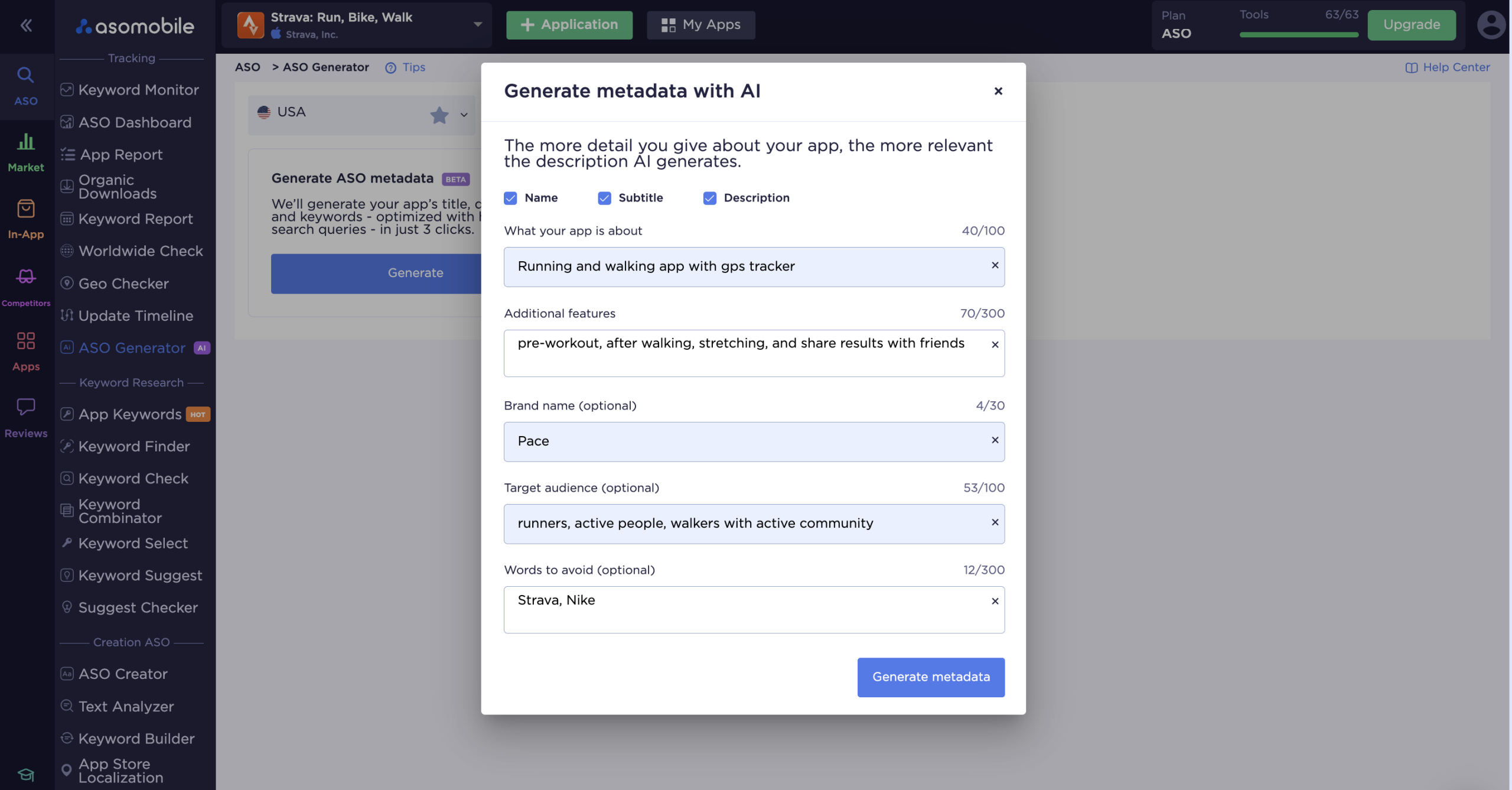
Hit “Generate” — the system runs keyword collection, usually for about a minute.
On the next step, the tool suggests competitors from your category. Accept them, swap them out, or add apps manually by name or store URL. Competitors expand the keyword pool: the system analyzes their keywords and pulls in what your direct queries missed.
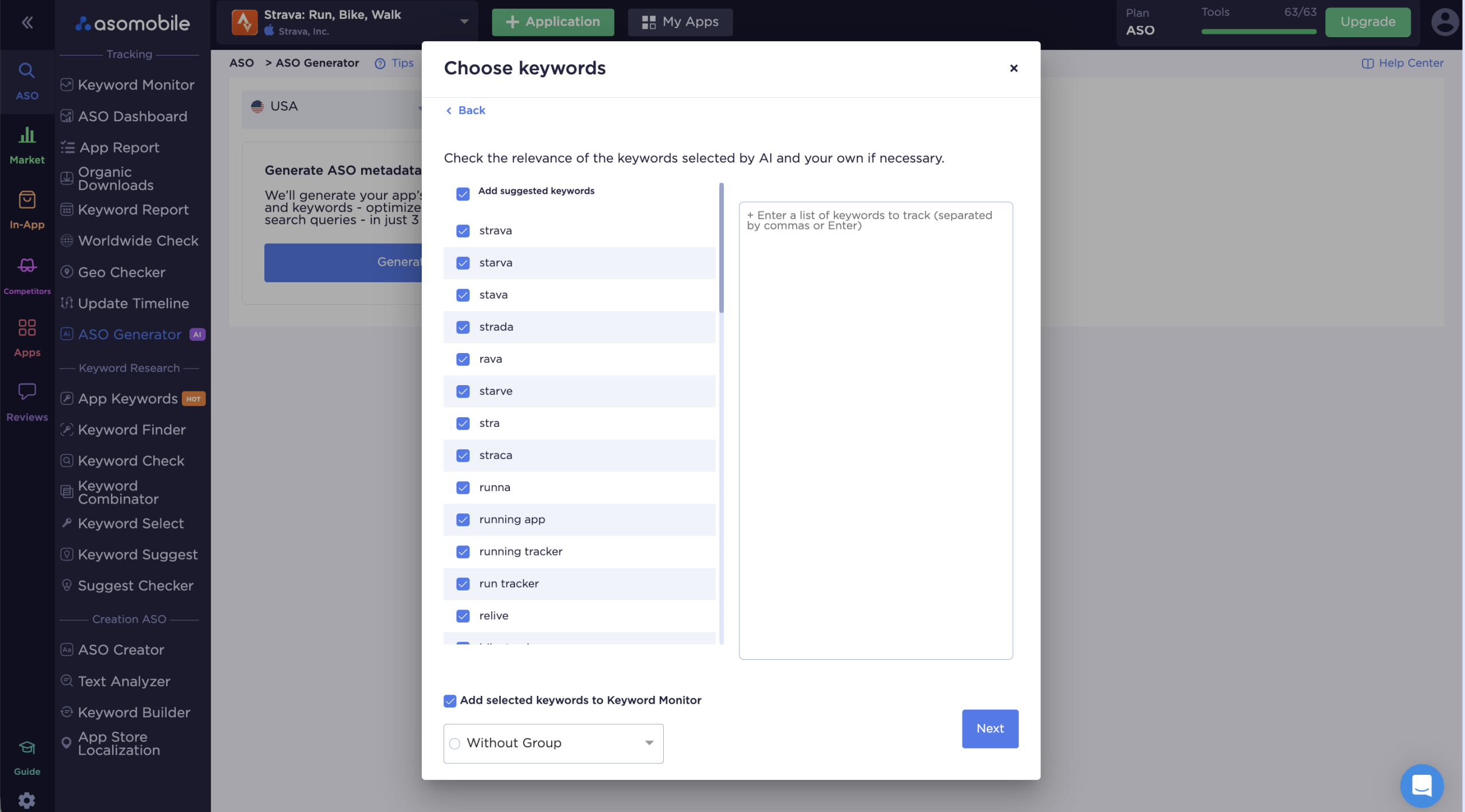
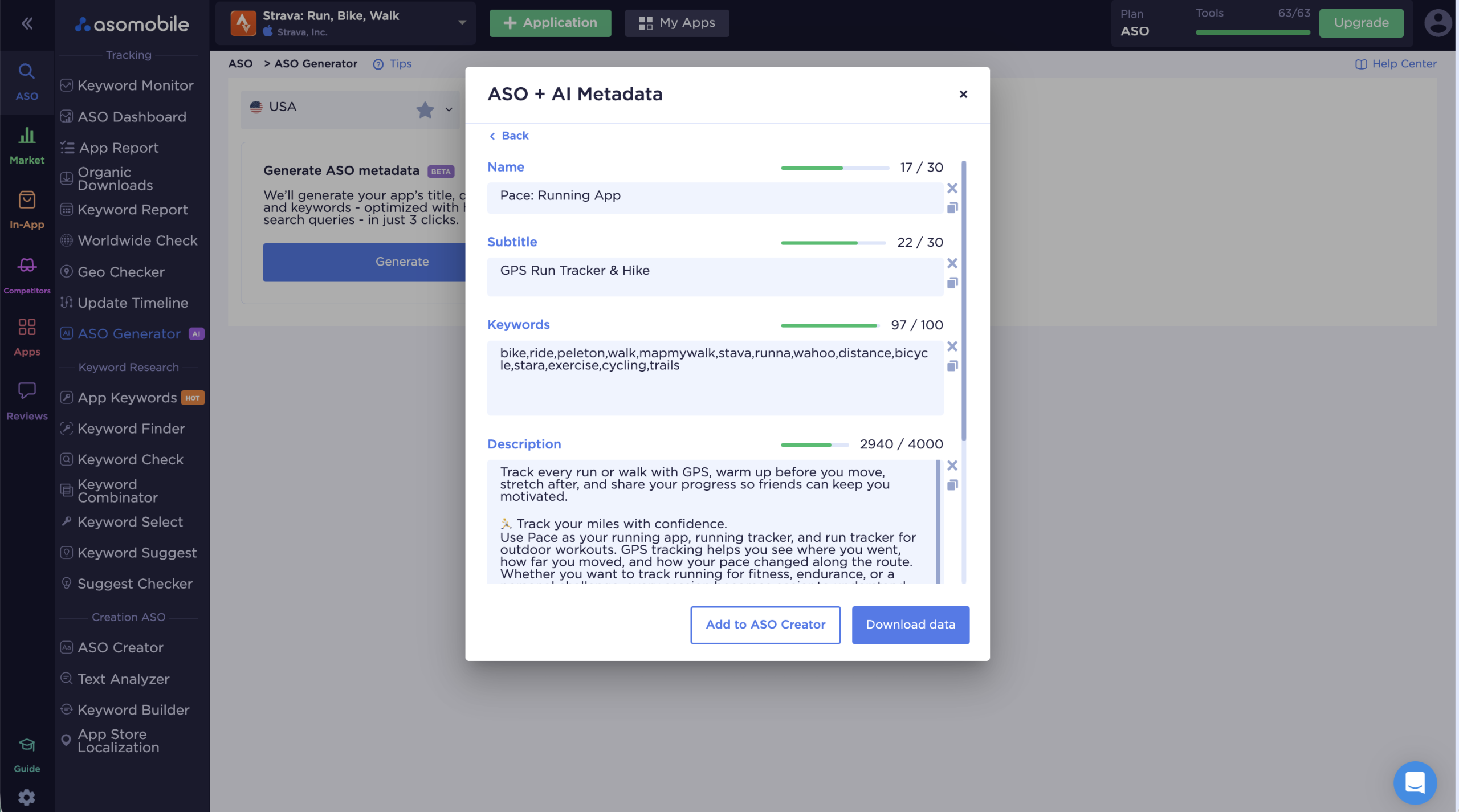
Then you get the keyword list. Uncheck anything irrelevant, and add your own keywords in the field on the right. If you want to track rankings for these keywords right away, check “Add selected keywords to Keyword Monitor.” Hit “Next” — a few minutes later, title, short description, and full description are ready with character counters.
Edit any field directly on screen. When you’re done, download as a file or move everything to ASO Creator in one click.
Case 2: updating metadata for an existing app
Another familiar situation: the app has been live for a while, but the metadata hasn’t been touched in a year. Features changed, the audience shifted, and competitors rewrote their texts. Rankings dropped — and it’s not obvious where to start.
This is where ASO Generator works as a starting point for a revision. Run a new generation based on what the app is now, not what it was a year ago. On the competitor’s step, check who’s entered the niche since then. On the keywords step, compare the suggested keywords with what’s already in your current metadata — it’s immediately clear what’s outdated and what to add.
Before transferring the result to ASO Creator, the tool will warn you: current metadata will be overwritten. It offers to save the existing texts first — useful if you want to compare versions or roll back. After the transfer, keywords from Keyword Monitor that made it into the new texts are highlighted in the list, so you can see what’s now being tracked.
Localization for multiple countries in a single run is in development — coming soon.
Bottom line
In both cases, the logic is the same: describe the app as it is now, add competitors, and clean up the keywords — you have a working base. Then fine-tune by hand. It’s not a replacement for an ASO specialist, but a good way to skip the half-day of prep work.
FAQ: Frequently Asked Questions
ASO Generator is a tool in ASOMobile that automatically collects keywords and generates metadata — title, short description, and full description — for the App Store and Google Play.
Each run uses AI requests from your plan’s limit. The remaining count is visible in the counter on the tool’s page.
Yes. On the keyword review step, there’s a field to add your own queries — comma-separated or one per line using Enter.
Clicking “Add to ASO Creator” overwrites the current metadata. The tool warns you before it happens and offers to save the existing texts.
Yes. You select the target country before generating — it affects keyword selection. Support for localizing to multiple countries at once is coming later